10G Home Network for PC and NAS: An affordable way to get started with fiber-optic technology

If you work with a NAS, an editing PC, or large amounts of data at home, classic Gigabit Ethernet quickly becomes a bottleneck. In my case, the PC and NAS were originally connected with 1 Gbit/s. That is perfectly fine for normal file storage, backups, and office data. But once large video files, project folders, or several hundred gigabytes are involved, 1Gbit becomes limiting very quickly.

In practice, 1Gbit Ethernet usually delivers around 110 MB/s. For large data sets, that is slow. A 100 GB project can take roughly 15 minutes or more to transfer. The goal was therefore a cost-effective upgrade to 10Gbit using fiber or SFP+.

Initial Situation

  • NAS and PC were previously connected via 1Gbit/s.
  • Practical data rate: around 110 MB/s.
  • Large video and project files needed to move faster between PC and NAS.
  • The upgrade had to remain affordable while also serving as an entry point into 10G-SFP+/fiber technology.

Goal of the Upgrade

The goal was a direct 10Gbit connection between the editing PC and the TrueNAS system using an affordable 10G-capable switch. The solution had to remain budget-friendly for a homelab while still delivering measurable real 10G performance.

Hardware Used

Component Description Cost
10G network cards 2× Intel X520 PCIe 10G cards from 10Gtek approx. €100
SFP+ modules 2× 10Gtek 10G SFP+ modules approx. €29
Switch SODOLA SL-8T2XS-WEB approx. €79
Cable OM4 fiber cable, 50 m approx. €35
Total 10G link PC ↔ NAS approx. €243

The Switch: SODOLA SL-8T2XS-WEB

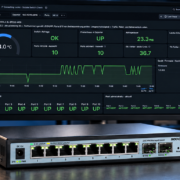
The SODOLA SL-8T2XS-WEB is an affordable web-managed Layer 2 switch with eight 2.5G RJ45 ports and two 10G SFP+ ports. This makes it a useful small homelab switch when you want to connect a few multi-gigabit devices and add two fast SFP+ links.

Feature Specification
Model SODOLA SL-8T2XS-WEB
Switch type Web Managed Layer 2
RJ45 ports 8× 100M/1G/2.5G
SFP+ ports 2× 10G SFP+
VLAN 802.1Q VLAN, tagged/untagged ports
Additional features QoS, IGMP Snooping, port statistics, link aggregation depending on firmware
Layer 3 / Routing No, it should be considered a Layer 2 switch

Important: This switch is not a router and not a firewall. It can handle VLANs, trunks, and access ports. Routing between VLANs, firewall rules, DHCP, and NAT belong on a router or firewall, for example OPNsense.

Why SFP+ and Fiber?

10Gbit can also be done over copper. For my setup, however, SFP+ with fiber was the more attractive solution. SFP+ modules and fiber cables usually remain thermally more relaxed than 10GBASE-T modules over RJ45. Fiber is also electrically isolated and well suited if longer runs between rooms or floors are needed later.

For short homelab distances, 10G SFP+ modules and suitable fiber patch cables are more than enough. In this test, the PC and TrueNAS were connected via 10G SFP+ through the SODOLA switch.

Test Setup

Area Description
Client Windows PC / editing PC
Server TrueNAS SCALE
Network 10G SFP+ via SODOLA SL-8T2XS-WEB
Measurement tools iPerf3, CrystalDiskMark, SMB copy test, switch port counters, TrueNAS ethtool/ip

Test Results

1. iPerf3: PC to TrueNAS

The first test checked the direction from the Windows PC to the TrueNAS system.

Direction Result
PC → TrueNAS approx. 9.27–9.41 Gbit/s

This means the 10G link was almost fully utilized in this direction.

2. iPerf3: TrueNAS to PC

In the opposite direction, a single TCP stream did not use the full bandwidth. With multiple parallel streams, however, the connection scaled cleanly.

Direction Streams Result
TrueNAS → PC 1 approx. 1.3–1.7 Gbit/s
TrueNAS → PC 4 approx. 6.18 Gbit/s
TrueNAS → PC 8 approx. 9.49 Gbit/s

The result shows that the physical 10G link is fast enough. The limitation with a single stream is more likely related to TCP, drivers, receive queues, or operating system behavior.

3. Bidirectional iPerf3 Test

In the bidirectional test, both directions were loaded at the same time.

Direction Result
PC → TrueNAS simultaneously approx. 8.95–8.97 Gbit/s
TrueNAS → PC simultaneously approx. 9.43–9.46 Gbit/s

This means the connection was able to deliver nearly full-duplex 10G performance in the test. Under maximum load, TCP retransmits occurred, but there were no port errors on the switch. This points more toward buffer, TCP, or driver behavior under full load than toward a physical issue.

4. Switch Port Counters

After the load tests, the error counters of the SFP+ ports were checked.

Port Link Send Errors RX Errors Assessment
Port 9 10Gbps Full 0 0 clean
Port 10 10Gbps Full 0 0 clean

Even after high data volumes and bidirectional tests, the 10G ports remained error-free.

5. CrystalDiskMark on the Network Drive

A CrystalDiskMark test was also performed on the TrueNAS network drive.

Test Read Write
SEQ1M Q8T1 approx. 1068 MB/s approx. 698 MB/s
SEQ128K Q32T1 approx. 797 MB/s approx. 599 MB/s
RND4K Q32T16 approx. 72 MB/s approx. 39 MB/s
RND4K Q1T1 approx. 10.6 MB/s approx. 8.5 MB/s

For large video files and sequential transfers, the SEQ values are the most relevant. The achieved values are very solid for an affordable 10G homelab setup.

6. SMB Copy Test and SMB Multichannel

When copying from the NAS to the local NVMe SSD of the PC, the speed initially reached only around 279 MB/s. The analysis showed that SMB Multichannel was disabled on TrueNAS. After enabling it, real-world copy performance improved significantly.

State NAS → PC
SMB Multichannel disabled approx. 279 MB/s
SMB Multichannel enabled approx. 593 MB/s

Windows then confirmed an active SMB Multichannel connection. This is an important point for practical use: the network hardware can deliver 10G, but SMB and operating system settings also decide how much of that performance actually arrives in daily use.

7. TrueNAS NIC Statistics

The network interface on TrueNAS was also checked. The relevant error counters remained clean.

Counter Result
RX errors 0
TX errors 0
RX CRC errors 0
RX frame errors 0
RX FIFO errors 0
RX missed errors 0
RX no buffer count 0

This showed no signs of physical errors on the fiber link, SFP+ modules, or network card.

8. Temperature Under Load

During the load tests, the switch reported around 63 °C. For a compact and affordable 10G SFP+ switch under heavy load, this is warm but was not critical in the test. There were no link drops, no throttling, and no port errors.

What Did the Upgrade Deliver?

Scenario Speed
Before: 1Gbit NAS to PC approx. 110 MB/s
After: SMB copy NAS to PC approx. 593 MB/s
After: CrystalDiskMark read up to approx. 1068 MB/s
After: iPerf3 net throughput up to approx. 9.5 Gbit/s

This significantly increased real-world copy performance compared to 1Gbit. Instead of around 110 MB/s, several hundred MB/s are now possible in daily use. Under optimal conditions, read speeds over the network drive can even reach around 1 GB/s.

Conclusion

The affordable entry into 10Gbit via SFP+ and fiber was worth it. For around €243, it was possible to build a fast connection between the PC and TrueNAS that reaches nearly full 10Gbit performance in iPerf3 and is also significantly faster than classic 1Gbit networking in real-world SMB transfers.

The SODOLA SL-8T2XS-WEB is not an enterprise core switch. The web interface is simple and the firmware feels budget-oriented. However, the raw switching performance in the test was convincing: the 10G ports remained error-free even under load.

Important: 10Gbit does not end when the fiber cable is plugged in. To achieve good real-world results, SMB, drivers, the operating system, NAS configuration, and storage performance also have to be configured properly. In this test, enabling SMB Multichannel on TrueNAS delivered a significant performance increase.

For homelab use, video editing, large file storage, and fast NAS access, this solution is very attractive from a price-performance perspective. Anyone who needs maximum stability, centralized management, and long-term vendor support should consider higher-end switches. But for an affordable entry into 10G SFP+, this setup delivers a strong result.

This article contains affiliate links. The price remains the same for you, and we receive a small commission for the recommendation.

USV at home

Safe Shutdown for TrueNAS Scale and Proxmox using an APC Back-UPS and NUT Remote Shutdown

Many small businesses and homelabs today operate multiple systems at the same time:
a TrueNAS Scale storage server, a Proxmox virtualization host and several
network devices such as routers or switches.

Even a short power outage can cause unclean shutdowns of virtual machines,
ZFS pools or running services. In this article I demonstrate a simple and
reliable setup where TrueNAS Scale acts as the central UPS master and safely
shuts down a Proxmox host over the network.

Goal of this setup

  • Connect the UPS directly to TrueNAS Scale via USB
  • Use Proxmox as a remote monitoring client
  • Automatically shut systems down during power outages
  • Protect VMs and ZFS pools from sudden power loss
  • Keep routers and network devices online as long as possible

Hardware used

  • APC Back-UPS RS 550G
  • TrueNAS Scale
  • Proxmox VE
  • Standard local network

Architecture

UPS (USB)
   │
   └── TrueNAS Scale (NUT Master)
            │
            └── Network
                    │
                    └── Proxmox VE (NUT Client)
  

Configure TrueNAS Scale

The UPS is connected directly to the TrueNAS system via USB.
TrueNAS then operates as the central NUT server.

Enable the UPS service

  • System Settings → Services → UPS
  • UPS Mode: Master
  • Driver: APC ups 2 Back-UPS Pro USB
  • Port: automatically detected

Recommended settings


Shutdown Mode: UPS goes on battery
Shutdown Timer: 30
Host Sync: 15
Power Off UPS: disabled
  

Enable remote monitoring

Important: enable “Remote Monitor” so that other systems
can access the UPS status over the network.

Optional runtime override

Especially with APC Back-UPS devices, runtime estimation can be inaccurate.
A conservative override is therefore recommended.


override.battery.runtime.low = 60
  

Check UPS status


upsc ups@localhost
  

Important values:


battery.runtime
battery.runtime.low
battery.charge
ups.status
  

Configure Proxmox as NUT client

Install NUT


apt update
apt install nut-client
  

/etc/nut/nut.conf


MODE=netclient
  

/etc/nut/upsmon.conf


MONITOR ups@192.168.178.100 1 upsmon fixmepass slave
MINSUPPLIES 1
SHUTDOWNCMD "/sbin/shutdown -h now"
POWERDOWNFLAG /etc/killpower
  

Where:

  • 192.168.178.100 = IP address of the TrueNAS server
  • ups = UPS name
  • upsmon/fixmepass = monitoring user configured in TrueNAS

Enable the service


systemctl enable nut-client
systemctl restart nut-client
  

Test the connection

Port test


nc -zv 192.168.178.100 3493
  

Read UPS status


upsc ups@192.168.178.100
  

Monitor logs


journalctl -f | grep -Ei "ups|nut|shutdown|fsd"
  

Real-world test

After disconnecting the UPS from mains power,
the following sequence should appear:


UPS on battery
→ Shutdown timer starts
→ FSD (Forced Shutdown)
→ Proxmox shuts down
→ TrueNAS shuts down
  

Important findings

  • Low-cost APC Back-UPS devices often provide inaccurate runtime estimations
  • After replacing the battery, the runtime curve may require recalibration
  • A conservative shutdown timer is usually more reliable than percentage indicators
  • 30 seconds is sufficient for many small environments

Conclusion

For small server environments this setup is surprisingly effective.
Even affordable APC Back-UPS models are capable of safely shutting down
TrueNAS and Proxmox systems while protecting data integrity.

Users who later require advanced monitoring, accurate battery analytics
or SNMP integration can easily upgrade to an APC Smart-UPS system.

For homelabs, small offices and private virtualization environments,
the combination of TrueNAS Scale, Proxmox and NUT already provides
a highly reliable and professional solution.

Real-world shutdown event log

The following log shows the actual shutdown sequence during a simulated power outage.
TrueNAS Scale was connected directly to the UPS via USB and acted as the NUT master.
Proxmox was configured as a secondary NUT client over the network.

Timeline

Time System Event Explanation
14:33:05 Proxmox Temporary UPS communication loss Proxmox briefly lost the connection to the TrueNAS NUT server.
This can happen during service restarts or network polling interruptions.
14:33:10 Proxmox UPS communication restored The NUT connection to TrueNAS was re-established successfully.
Remote monitoring was working again.
14:33:50 Proxmox UPS on battery Proxmox received the ONBATT state from TrueNAS.
This means the UPS had switched from mains power to battery operation.
14:34:10 Proxmox Forced shutdown in progress TrueNAS triggered FSD, short for Forced Shutdown.
As a secondary NUT client, Proxmox immediately started its automatic power-fail shutdown.
14:34:10 Proxmox Battery low received The LOWBATT state was also received from the NUT master.
With inexpensive APC Back-UPS models this value can be conservative,
but in this setup the actual shutdown is controlled by the timer.
14:34:10 Proxmox Automatic shutdown started Proxmox executed the configured shutdown command and began shutting down the host
and its virtual machines.
14:34:15 TrueNAS Automatic power-fail shutdown TrueNAS started its own shutdown sequence after triggering the shutdown event
for connected NUT clients.
14:34:20 TrueNAS System poweroff TrueNAS displayed the final system message:
“The system will power off now!”
This confirms that the shutdown process reached the operating system poweroff stage.

Measured shutdown sequence


14:33:50  Proxmox receives ONBATT
14:34:10  Proxmox receives FSD and starts shutdown
14:34:15  TrueNAS starts automatic power-fail shutdown
14:34:20  TrueNAS announces system poweroff
  

Result

The test confirmed that the NUT master/client setup works correctly:
TrueNAS detects the UPS event, triggers the forced shutdown and Proxmox reacts
as expected as a secondary client.

The Proxmox host started shutting down approximately 20 seconds after the ONBATT event.
TrueNAS followed a few seconds later and reached the final poweroff stage.

This behavior is exactly what is desired in a small homelab or office environment:
the virtualization host shuts down first, followed by the storage system.
Network devices such as a router or switch can remain connected to the UPS
and continue running for some additional time.

Proxmox VE on the HP EliteDesk 800 G6 Mini – Concept, Known NIC Issue and Stable Solutions

The HP EliteDesk 800 G6 Mini is a compact and capable platform for small virtualization environments. With a modern Intel CPU, low power consumption and a small form factor, it is well suited as an edge server, lab system, home server or small business virtualization host.

1. Concept: Running Proxmox VE on the EliteDesk G6 Mini

The EliteDesk 800 G6 Mini provides a solid foundation for Proxmox VE:

  • Intel Core i5 / i7 10th generation CPU
  • up to 64 GB DDR4 RAM
  • NVMe SSD storage
  • very low power consumption
  • compact form factor

Typical use cases include:

  • small Proxmox environments
  • local infrastructure at customer sites
  • Windows VMs for business software
  • monitoring with Checkmk, Prometheus or Grafana
  • backup, storage or proxy services

2. The Problem: Intel I219-LM Network Controller

The EliteDesk 800 G6 Mini commonly uses an integrated network controller called Intel Ethernet Connection I219-LM. Under Linux, this NIC is handled by the e1000e driver.

In combination with Proxmox VE, this controller may occasionally cause network instability.

Typical symptoms include:

  • short network interruptions
  • the Proxmox host becoming temporarily unreachable
  • virtual machines losing network connectivity
  • monitoring systems reporting host outages

The kernel log may show messages such as:

e1000e: Detected Hardware Unit Hang
NETDEV WATCHDOG: transmit queue timed out

3. Technical Explanation

The Intel I219-LM is not a traditional server-grade PCIe network controller. It is an onboard controller closely integrated with the chipset. The Linux driver uses several hardware offloading features such as TSO, GSO, GRO and Energy Efficient Ethernet.

Under certain conditions, especially in virtualization environments or with specific power-saving and driver combinations, the controller may stop processing packets correctly. The driver then reports this as a Hardware Unit Hang.

4. Software Workaround

A common stabilization method is to disable selected offloading features.

Disable offloading

ethtool -K nic0 tso off
ethtool -K nic0 gso off
ethtool -K nic0 gro off

Disable Energy Efficient Ethernet

ethtool --set-eee nic0 eee off

To make these settings persistent in Proxmox, add them to /etc/network/interfaces:

auto nic0
iface nic0 inet manual
    post-up ethtool -K nic0 tso off gso off gro off
    post-up ethtool --set-eee nic0 eee off

Then reload the network configuration:

ifreload -a

These changes can significantly improve stability. However, they should be considered a workaround rather than a final fix.

5. Hardware Solution: Additional Network Interface

For production systems, a dedicated network interface is the cleaner solution. Depending on the specific model and adapter, the EliteDesk 800 G6 Mini can be expanded internally with an additional network interface.

Recommended controller families include:

  • Intel i210
  • Intel i350

These controllers are widely used in server environments and are well supported by Linux.

Benefits of a dedicated NIC:

  • more stable Linux operation
  • fewer power-management related issues
  • better suitability for virtualization
  • cleaner separation of management and VM networking

6. Conclusion

The HP EliteDesk 800 G6 Mini is a very interesting platform for small Proxmox deployments. It is compact, energy-efficient and powerful enough for many infrastructure tasks.

However, the integrated Intel I219-LM network controller can be problematic under Linux and Proxmox. Software-side adjustments can reduce the risk by disabling selected offloading and power-saving features.

For production environments, I recommend using a dedicated Intel network interface, ideally with an i210 or i350 controller. This turns the compact business PC into a stable and efficient virtualization platform.

OAUTH mit Authentik – Warum Single-Sign-On für Unternehmen immer wichtiger wird

Viele Unternehmen betreiben heute eine Vielzahl an Webdiensten: Cloud-Speicher, Ticket-Systeme, Projekttools, Monitoring oder interne Dashboards. Jeder dieser Dienste verlangt üblicherweise eigene Benutzerkonten und Passwörter.

Das führt zu drei klassischen Problemen:

  1. Passwort-Chaos – Nutzer verwenden überall unterschiedliche oder unsichere Passwörter.
  2. Administrationsaufwand – Benutzer müssen in jedem System einzeln angelegt oder gelöscht werden.
  3. Sicherheitsrisiken – Wenn ein Konto kompromittiert wird, kann es schwierig sein, den Zugriff zentral zu entziehen.

Hier kommt ein Konzept ins Spiel, das viele aus großen Plattformen bereits kennen: Single Sign-On (SSO).

Eine moderne Lösung für dieses Problem ist Authentik, ein Open-Source Identity Provider. Authentik ermöglicht es, Benutzer zentral zu verwalten und sich mit einem einzigen Login bei mehreren Diensten anzumelden.

Ein typischer Anwendungsfall:

Ein Unternehmen betreibt mehrere interne Dienste:

  • Nextcloud (Dateiablage)
  • Ticket-System
  • Monitoring-Dashboard
  • internes Wiki

Mit Authentik meldet sich der Mitarbeiter nur einmal an und erhält danach Zugriff auf alle freigegebenen Systeme.

Read more

EOS-SCAM – Please be careful!

Fraudulent payment requests are currently circulating, allegedly from the debt collection service provider EOS. Some of these fake letters are professionally designed, but have features that indicate an attempt at fraud: for example, false judge's names are given or an Italian IBAN is given for the transfer.

EOS itself warns against these e-mails on its website and offers those affected the opportunity to check their authenticity using the claim number. If this 11-digit claim number is missing from the letter, this is another clear indication of attempted fraud.

OXID and Google Fonts – DSGVO warning danger and solution!

For example, the OXID store uses the Raleway font from the Google Fonts catalog in the Flow template. This page is reloaded from the USA and the visitor's IP is transmitted to Google.

Now some warning letters are on the way regarding this and we have decided to host the corresponding font locally and make the changed location known to the store.

What to do now?

Email security – New scam attempts

Recently, some security holes in the Exchange servers have been closed, but the fraud attempts continue.
Heise.de reports a fraud attempt in which previously stolen e-mail communication was used to initiate a payment by the recipient via a typo-squatting domain in which, for example, numbers are substituted for letters (he1se.de).

Call from Microsoft – SCAM – Beware!

Old hat, actually:

Someone calls and says they are from Microsoft and would help you clean your PC. In reality, remote maintenance is set up, the criminal counterpart encrypts your PC and thus wants to extort a “ransom”.

Bundeswehr uses instant messaging – Matrix

BWI currently operates two chat solutions for the Bundeswehr for official and private mobile devices: Matrix and stashcat.

In the course of further expansion, Matrix will replace stashcat as the federal armed forces' standardised instant messaging platform.

https://www.bwi.de/news-blog/news/artikel/kommunikation-in-covid-19-zeiten-bundeswehr-setzt-instant-messaging-ein