
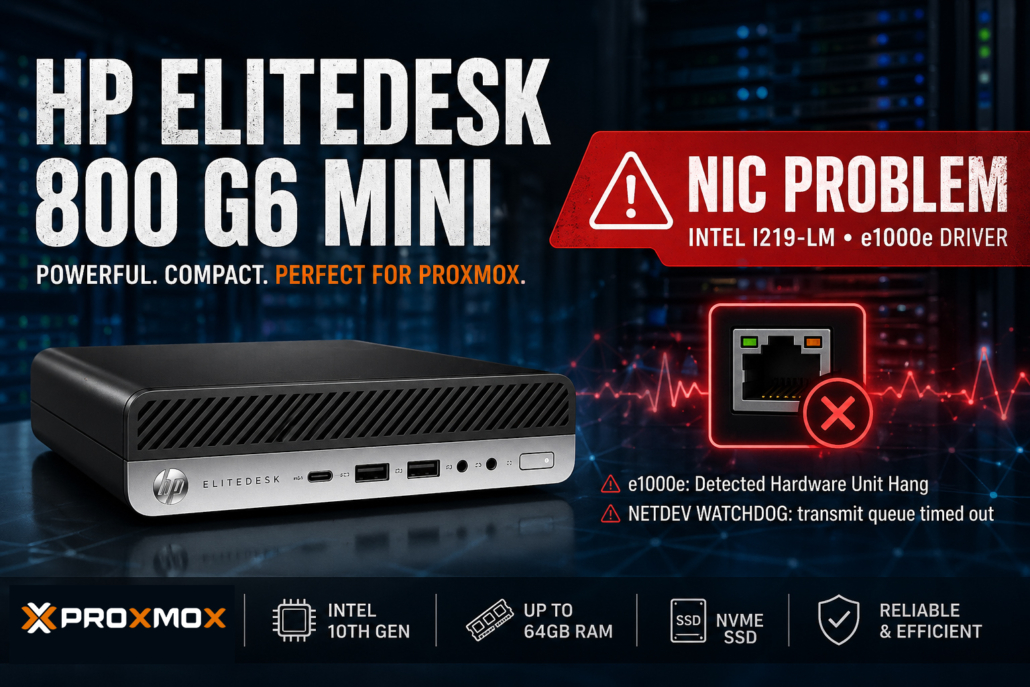
Proxmox VE on the HP EliteDesk 800 G6 Mini – Concept, Known NIC Issue and Stable Solutions
The HP EliteDesk 800 G6 Mini is a compact and capable platform for small virtualization environments. With a modern Intel CPU, low power consumption and a small form factor, it is well suited as an edge server, lab system, home server or small business virtualization host.
1. Concept: Running Proxmox VE on the EliteDesk G6 Mini
The EliteDesk 800 G6 Mini provides a solid foundation for Proxmox VE:
- Intel Core i5 / i7 10th generation CPU
- up to 64 GB DDR4 RAM
- NVMe SSD storage
- very low power consumption
- compact form factor
Typical use cases include:
- small Proxmox environments
- local infrastructure at customer sites
- Windows VMs for business software
- monitoring with Checkmk, Prometheus or Grafana
- backup, storage or proxy services
2. The Problem: Intel I219-LM Network Controller
The EliteDesk 800 G6 Mini commonly uses an integrated network controller called Intel Ethernet Connection I219-LM. Under Linux, this NIC is handled by the e1000e driver.
In combination with Proxmox VE, this controller may occasionally cause network instability.
Typical symptoms include:
- short network interruptions
- the Proxmox host becoming temporarily unreachable
- virtual machines losing network connectivity
- monitoring systems reporting host outages
The kernel log may show messages such as:
e1000e: Detected Hardware Unit Hang
NETDEV WATCHDOG: transmit queue timed out
3. Technical Explanation
The Intel I219-LM is not a traditional server-grade PCIe network controller. It is an onboard controller closely integrated with the chipset. The Linux driver uses several hardware offloading features such as TSO, GSO, GRO and Energy Efficient Ethernet.
Under certain conditions, especially in virtualization environments or with specific power-saving and driver combinations, the controller may stop processing packets correctly. The driver then reports this as a Hardware Unit Hang.
4. Software Workaround
A common stabilization method is to disable selected offloading features.
Disable offloading
ethtool -K nic0 tso off
ethtool -K nic0 gso off
ethtool -K nic0 gro off
Disable Energy Efficient Ethernet
ethtool --set-eee nic0 eee offTo make these settings persistent in Proxmox, add them to /etc/network/interfaces:
auto nic0
iface nic0 inet manual
    post-up ethtool -K nic0 tso off gso off gro off
    post-up ethtool --set-eee nic0 eee off
Then reload the network configuration:
ifreload -aThese changes can significantly improve stability. However, they should be considered a workaround rather than a final fix.
5. Hardware Solution: Additional Network Interface
For production systems, a dedicated network interface is the cleaner solution. Depending on the specific model and adapter, the EliteDesk 800 G6 Mini can be expanded internally with an additional network interface.
Recommended controller families include:
- Intel i210
- Intel i350
These controllers are widely used in server environments and are well supported by Linux.
Benefits of a dedicated NIC:
- more stable Linux operation
- fewer power-management related issues
- better suitability for virtualization
- cleaner separation of management and VM networking
6. Conclusion
The HP EliteDesk 800 G6 Mini is a very interesting platform for small Proxmox deployments. It is compact, energy-efficient and powerful enough for many infrastructure tasks.
However, the integrated Intel I219-LM network controller can be problematic under Linux and Proxmox. Software-side adjustments can reduce the risk by disabling selected offloading and power-saving features.
For production environments, I recommend using a dedicated Intel network interface, ideally with an i210 or i350 controller. This turns the compact business PC into a stable and efficient virtualization platform.


Leave a Reply
Want to join the discussion?Feel free to contribute!