Homepage

Services that start with your situation

You do not need to know whether your issue falls under “hosting”, “virtualisation” or “monitoring”. We will help put your question into context and start by looking at the systems you already have.

Discuss your project

These areas often depend on one another

A website needs somewhere to run; an application depends on the network; and an incident alert only helps if somebody understands its context.

  1. Hosting & websites
  2. Infrastructure
  3. Email & security
  4. Monitoring
  5. AI agents

Hosting & websites

Who takes care of updates?

ContentHostingMaintenance

Different hosting arrangements suit different websites and applications: shared environments, virtual servers or dedicated systems. The sensible choice depends on the application, the changes it needs and who is responsible for it. For a WordPress website, planning includes deciding who manages updates and backups. A content management system makes content editable; it does not remove the need to maintain the underlying technology.

Existing website
Where does it run, which extensions does it use, who has access and how are backups handled?
New project
We try to settle the same operational questions early rather than discovering them only after the design is finished.
Backup and updates
A backup is only useful when it is clear what it covers and how recovery can be started.

LimitA homepage being reachable does not tell you whether a form sends messages or a payment works.

Email us about hosting & websites

AI-generated illustration of an architecture website on a laptop and smartphone.
AI-generated illustration. The website shown is not a client project.

Infrastructure

What happens if part of the system fails?

ApplicationApplicationFailure?PlatformVirtualisationNetworkBackup

Several services can run separately on a shared platform. That can simplify administration, but it also makes the platform itself important to operations. Our areas include virtualisation with Proxmox, containers, storage and backups. Dependencies matter especially when changing a system: which applications need to communicate, and what happens if that connection is interrupted?

Inventory
Which applications share a machine, which need an external connection, and which should only be accessible internally?
Virtualisation
Not every application needs its own virtual machine, and not every existing server needs replacing.
Network
Segmentation is a plan for how systems communicate, not simply a change of equipment.

LimitA snapshot is not a complete recovery plan. The backup method must suit the data and the required route to recovery.

Email us about infrastructure
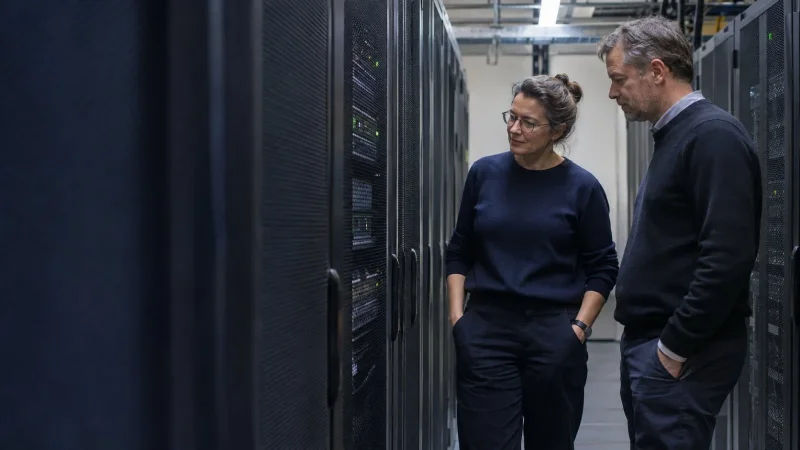
AI-generated illustration: Two people looking at server racks in a data centre.
AI-generated illustration, not our data centre or a staff photograph.

Email & security

Do your accounts, devices and domain work together?

AccountsDevicesDomain

An email system connects user accounts, domains and devices. Choosing how to run it therefore involves maintenance and responsibility as well as software. We discuss requirements and costs before talking about setup. We also address technical hardening for web and mail services, such as checking TLS, security headers and mail server settings on the actual system.

Operating model
Cloud, local and self-hosted setups divide maintenance and responsibility differently.
Migration and setup
Planning depends on which accounts should remain, how they are used and who will make administrative changes in future.
Technical hardening
A change should make sense for day-to-day operation, not merely improve a tool's score.

LimitAn audit report may reveal an individual setting; it does not prove a service is secure overall.

Email us about email & security
AI-generated illustration: A hand touching a security key beside a laptop showing a webmail sign-in.
AI-generated illustration, not a record of an actual webmail sign-in.

Monitoring

Who looks into an alert?

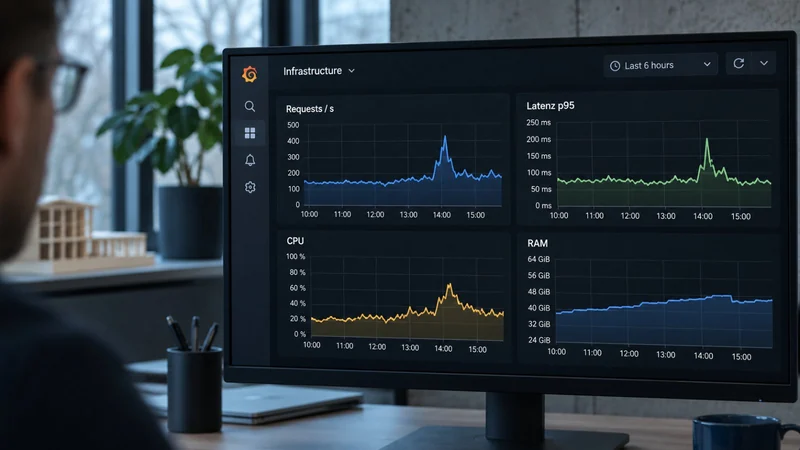
Monitoring can show whether a service is reachable and how its metrics change over time. Storage, utilisation, networking or other states may matter, depending on the system. An alert still needs a recipient and a decision about who will investigate. Collecting numbers helps little if nobody can interpret them when something goes wrong.

Availability
Checks show whether a service responds from a particular test location.
Metrics
Not every device supplies every metric, and not every available metric matters in daily use.
Notifications
An alert needs both a recipient and context to be useful.

LimitMonitoring does not fix a faulty configuration. It cannot replace maintenance, backups or tested recovery.

Email us about monitoring
AI-generated illustration: A desk monitor with synthetic monitoring charts and the Grafana symbol.
AI-generated illustration. Not real measurements or an actual client installation.

AI agents New

What decisions may an agent make on its own?

An AI agent is a language model that can work with tools as well as answer questions. It can read messages or files, call interfaces, prepare drafts and report back with a result. Whether that helps your business depends less on the model than on the process around it.

TaskAgentToolsApproval?ResultRolesPermissionsLog

Advice on automation

We look at a specific process with you. Which steps recur, what data is involved, and how will you recognise a good result? That helps determine what an agent could prepare, where a person must decide, and whether a simple script without a language model would suffice. Sometimes the right advice is not to automate the process.

Building agent systems

If the process is suitable, we set up an agent system, for example with Hermes Agent from Nous Research. Several agents can each have a role, their own tools and restricted access. Tasks may start from a message, on a schedule or through a shared task list. We agree with you in advance where the system runs, which language model it uses and where data goes.

Process and suitability
Is the task described clearly enough for its result to be checked?
Roles and permissions
An agent gets only the access it needs for its task.
Approvals
Decide what an agent may prepare and what requires your confirmation, such as sending a message or deleting something.
Operations
Logs, ongoing model usage costs, updates and who responds to errors.

LimitLanguage models can be wrong even when an answer sounds convincing. An agent system does not replace subject-matter review or clear responsibility. We do not promise a particular amount of time saved or error-free results. What a system can do becomes clear in a specific process and should first be tested on a small scale. Data protection questions must be addressed separately.

Email us about AI agents

How do we start working together?

We begin with a conversation about what you already have. The homepage explains how we work and who your contact person is.

Let's talk about your current setup

Tell Sascha Lucke about the systems you have and the problem you want to solve. A rough outline is enough to begin with; please do not include confidential credentials in your first message.

info@itc-lucke.com

Phone

02732 5539496

WhatsApp

Open WhatsApp

01709897885. External service; opens in a new tab when clicked.

No contact form

This website has no contact form. You write to us using your own email program.